An integration platform where AI agents do the heavy lifting, and people stay in charge.
N3XGEN connects systems like Oracle, Salesforce and SAP. Building one flow used to take days of wizards and hand mapping. I redesigned it around a crew of eight AI agents that build, test, ship and heal integrations, and every risky step waits for a human yes.
Our engineers spend days building one integration. Mapping is manual, deploys are scary and we find failures late. We already added AI, but it feels like a side feature.
N3XGEN is an enterprise integration platform. Teams use it to move data between business systems, for example new Salesforce accounts into Oracle ERP every hour. When I picked up the project, building one standard flow meant clicking through about 25 screens, mapping fields by hand and then hoping the deploy would go fine. AI had been added, but it lived on its own page as a list of models, an API key field and a "safety score 0.65 unsafe" that never explained itself.
The ask was big: make N3XGEN the platform where AI agents do the heavy work. My reading of it was narrower, and I think more useful. Agents should draft, people should decide, and every AI action should be visible and easy to undo. Everything in this case study comes back to that one sentence.
Targets agreed with the client at kickoff
The audit, desk research, competitor review, concepts and all the design work here are done. Interviews and usability rounds with real users were planned for after handoff. So the personas are proto-personas, their quotes are hypotheses, and every number on this page is a target, not a result. I would rather show that honestly than dress it up.
I led UX for the whole project. I owned the vision, the process and the quality bar, and I designed the agent interaction model myself: how an agent asks for permission, how it acts, how it explains itself and how a person undoes it. Two product designers split Build and Run, a researcher owned the research plan, and a content designer owned naming and error copy.
We worked in six weeks with five gates. At each gate the sponsor, PM, engineering, AI/ML and security leads had to agree on one question before we moved on. That rhythm kept a fast project from turning into a fast mess.
Kickoff, stakeholder talks, heuristic audit, desk research.
Audit report · research planCompetitor review, proto-personas, interview guide.
G1 · Do we understand the people and the market?Journeys, problem statements, the agent crew model, IA and naming.
G2 · Are these the right problems?Three concepts, core flows, lo-fi wireframes.
G3 · Which concept do we take forward?Hi-fi screens, design system, prototype.
G4 · Usable, buildable, safe and on brand?Specs, edge cases, roadmap, risks and measurement.
G5 · Can engineering start without guessing?Design + dev sync
30 minutes. What changed, what is blocked, what engineering needs from design this week.
Critique
45 minutes, using "I like, I wish, what if". One clear question per designer.
Decision log + demo
Every decision written down with the options we did not choose, and why.
Recruiting real users takes time, so I started with what I could check on day one: the product itself. I audited all 21 pages of the existing Figma file against Nielsen’s ten heuristics, with WCAG 2.2 spot checks. It gave us twelve findings, five of them high severity.
The worst one was easy to show. To build one Oracle → Salesforce flow, a person went through about 25 screens. Fifteen of those were the same five-step wizard (Functions, Versions, Mappings, Settings, Review), repeated for the source, the processor and the target.
The findings that shaped the redesign
| Finding | Severity | What it looked like |
|---|---|---|
| The workflow builder is not a real canvas | High | A vertical chain of circles. Each node opens a five-step wizard. |
| The AI layer feels bolted on | High | A radio list of models, an API key, and a safety score with no reason or next step. |
| Credentials are everywhere | High | Passwords typed into forms, Git credentials inside the deploy wizard, no vault. |
| The dashboard is decorative | High | Rings with no values and a chart of String, Boolean and Number field types. |
| Names confuse people | Medium | Connections vs Connectors. Smart Store vs Intelligent Store vs "Intelligence Store". |
| The debugger shows raw JSON only | Medium | Fine for one engineer, useless for the person who gets the 2 AM call. |
The product made people do the machine’s work: wizards, retyping secrets, reading JSON. Before adding more AI, we had to make it explainable.
What the market was doing
Desk research in October 2026 told a clear story. Gartner expects 40% of enterprise apps to have task-specific agents by the end of 2026, and also warns that more than 40% of agentic AI projects could be cancelled by 2027. Open standards like MCP and A2A were making agent crews possible. The EU AI Act and India’s DPDP rules were making audit trails non-negotiable.
I reviewed seven platforms using public information only. Everyone was adding agents. Very few were explaining them.
| Platform | What we learned |
|---|---|
| MuleSoft Agent Fabric | Make the crew visible. People want to see which agents exist and what they touch. |
| Boomi Agentstudio | People need one big red button: a kill switch they can find in a panic. |
| IBM webMethods | One agent per job, plus a gateway that controls model cost. |
| Microsoft Logic Apps | Show the agent’s reasoning as a trace, not as a chat log. |
| n8n | Agents can live as nodes on the same canvas as everything else. |
| Zapier | Credentials should never reach the model. |
Research we planned with the client
8 stakeholder + 15 user interviews
Across six roles, 60 minutes each, remote. Always "tell me about the last real time", never "would you use…".
Night-shift contextual inquiry
Sitting with three on-call ops engineers, including one night shift for US clients.
Six months of tickets and logs
To check whether a handful of failure types really cause most incidents.
Nine written hypotheses
Each with an owner and a kill signal written before testing, so we could not move the goalposts later.
I wrote six proto-personas from the audit and the stakeholder talks: Arjun the integration engineer, Kavya the architect, Rohit on call, Fatima in data governance, Vikram the platform admin and Neha, a business analyst who knows exactly what she needs but cannot build it. They are hypotheses to test, and the file says so on every card.
“I spend more time clicking Next than thinking about the flow.”
“At 2 AM I don’t want a dashboard. I want to know what broke and what to do.”
“If an auditor asks who saw a customer’s PAN, I should answer in minutes, not weeks.”
Hypothesis quotes, written to be tested in interviews.
Following one flow from request to 2 AM
The journey map follows Arjun building Oracle → Salesforce. It made three moments obvious. Mapping is the lowest point ("Is CUST_NO the same as AccountNumber?"). Deploy is about fear, not effort ("Please don’t break anything on a Friday"). And when something fails, the business team usually notices before the platform does.
Problems we agreed to solve
| # | Problem | How might we… |
|---|---|---|
| P1 | Building a standard flow takes days, not hours | …let Arjun describe a flow in plain English and get a working draft on a real canvas? |
| P2 | Failures are found late and are hard to explain | …fix known failures before Rohit even wakes up? |
| P3 | People get lost in the product | …make Home answer "what needs me today" in five seconds? |
| P4 | AI feels bolted on, so nobody trusts it near Production | …make every agent action show a reason, a confidence and a cost? |
| P5 | Secrets are typed everywhere, with no audit trail | …make the safe way (the vault) also the fastest way to connect a system? |
| P6 | It does not look or behave like one product | …give every screen one language, one system and one set of names? |
The big idea is a crew instead of one all-knowing assistant. Each agent has a narrow job, clear inputs and outputs, the tools it is allowed to use, and a point where it must stop and ask a person. Narrow jobs are easier to trust, easier to test and much easier to explain to a security team.
Connects systems
Sets up connections through the vault. Never sees a password.
Drafts the flow
Turns a sentence into nodes on the canvas, as suggestions.
Maps the fields
Acts alone only at 90%+ confidence, and only in Dev.
Writes the tests
Runs flows against synthetic data before anything ships.
Ships safely
Opens a PR with a risk score. A person approves Prod.
Watches and heals
Fixes known failures within limits and writes the summary.
Keeps the rules
Can always block. Can never loosen a rule.
Moves legacy code
Converts old packages and runs old and new side by side.
Autonomy is earned, and it can be lost
Every agent works at one of three levels in each environment: Suggest, Ask before acting, or Act within limits. "Within limits" has a strict meaning: a known fix, a small blast radius, inside budget, rollback ready, inside the allowed time window, and Guardian checks passed. An agent moves up a level only after a person signs it off. Never automatically.
Some things always need a human, whatever the level: any logic change or promotion to Production, new Prod secrets, deletes, sending personal data to a cloud model, going over budget, or raising an agent’s own autonomy.
"Show your work": the same six facts on every agent action
- What
- The change, in one plain sentence.
- Why
- The reason. No reason, no card.
- Confidence
- Always a % and a word: High, Medium or Low.
- Sources
- What the agent looked at to decide.
- Cost
- Tokens and dollars, so spend never surprises anyone.
- Undo
- How to roll it back, and for how long.
The old sidebar was icons only, and ten modules had no home at all. I rebuilt the navigation around jobs people do, in nine groups: Home, Build, Run & Release, Operate, Agents, Govern, Connect, Modernise and Admin. Labels are always visible, Ctrl+K works from anywhere, and breadcrumbs follow the object model: Workspace → Project → Integration flow → Run.
Old names → new names
Old names stay searchable for six months, so nobody gets lost on day one.
We sketched three directions and scored each from 1 to 5 on speed, control, learnability, enterprise trust and build effort. The scores were close, which was the real finding. Each concept was good at one thing.
Canvas-first
Great for seeing and building. Can feel technical for Neha.
Chat-first
Great for asking. But you cannot audit a chat, and nothing should reach Prod through one.
Inbox-first
Great for deciding. Weak for building anything new.
So we combined them. The canvas is where you see and build. Copilot is how you ask. The Inbox is where you decide. One rule on top: no chat-only path to Production, and no agent ever acts silently.
What ships first: scored with RICE, then checked with MoSCoW
| Feature | RICE | Why it is early |
|---|---|---|
| Agent Inbox | 10.7 | Cheap to build, and every other agent feature depends on a place to decide. |
| Run Replay | 9.3 | Replaces raw JSON. Rohit’s 2 AM problem starts here. |
| Credential Vault | 9.0 | Trust first: secrets out of forms before agents touch anything. |
| Home | 8.0 | "What needs me today", answered in five seconds. |
| AI Mapping Studio | 4.8 | The lowest point of the journey, and the biggest time saver. |
Build order: trust first, then speed, then reach.
The client wanted to keep the N3XGEN name and evolve its blue and green. I pushed the action colour to a stronger electric blue, added a deep navy as the ground, and gave AI exactly one colour: violet. Violet means an agent is speaking. Dashed violet means suggested, not applied. That rule is simple enough that people learn it without a tooltip.
The mood board had a "less of" list too: sparkle icons on everything, purple gradients and glowing robots.
The design system, counted from the file
Agent-specific components
- Confidence meter
- High ≥ 85%, Medium 60–84%, Low < 60%. Number, word and colour, never colour alone.
- Risk badge
- 0–100. Low, Medium, High, Critical.
- Autonomy pill
- Suggest, Ask, Act.
- Agent step
- Thought, tool call, result, handoff, human.
- Env switch
- Prod tints the control red and adds a lock.
- Motion
- 120 / 200 / 320 ms. The only loop is the agent "thinking" pulse.
Forty screens in eleven groups, desktop first at 1440. Every P0 screen is designed in eight states: default, empty, loading, error with a next step, agent working, needs approval, no permission and read-only in Prod. Here are the ones that carry the story.
Home · What needs me today
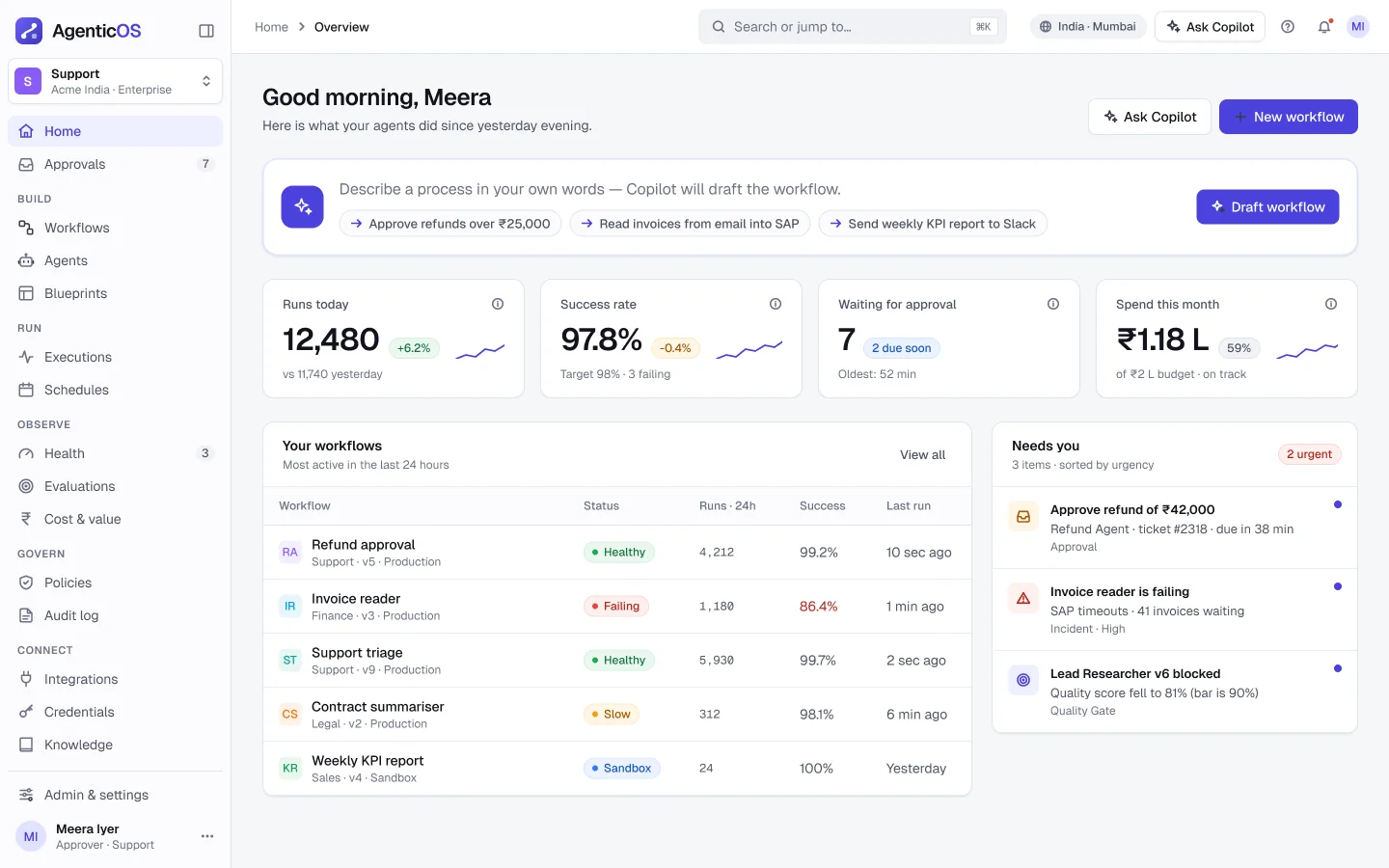
Four things need you, two runs failed, eleven were fixed by agents overnight. Each item says which agent raised it, the risk and the one action that matters.
Copilot build · describe it, build it
Neha writes two lines in plain English. The Flow Architect drafts nodes on the canvas as suggestions she can accept, edit or throw away.
AI Mapping Studio
Mapping becomes a review job. Every link shows a confidence and a reason, and Arjun filters straight to the few that need him.
Agent Inbox
One place to decide, sorted by risk instead of time. Approve, edit or reject in place, and every reject asks why so agents learn.
Incident and self-healing
Root cause, confidence, affected records and the proposed fix, with rollback ready. Readable at 2 AM, on a phone.
Legacy vs new, side by side
The Modernisation agent converts an old package. Old and new run in parallel until a person is confident to switch.
More screens
The handoff package had tokens, component specs, every agent state, edge cases, Given/When/Then acceptance criteria and a prototype linked from Jira. Frames were marked "Ready for dev" only after the last gate, and design questions got an answer within one working day.
Edge cases we designed before anyone asked
| When this happens | The product does this |
|---|---|
| The LLM provider goes down | A clear banner, and a fallback to a local model. |
| Nobody approves a request | A reminder at 4 hours. It expires at 24. |
| Two people act on one request | The first one wins. The second sees what happened. |
| The budget is reached | The agent pauses and says why. |
| A schema has 5,000+ fields | A virtualised list that stays fast. |
Roadmap for 2027
Build faster, safely
Canvas, Copilot, Mapping, Inbox, Vault, Home. Agents only suggest or ask. Three pilot customers.
Test, ship and watch
Test Lab, releases, Ops, LLM Gateway, Guardian. Agents can act in Dev and QA.
Heal and modernise
Self-healing for known fixes in Prod, legacy modernisation, and an audit pack ready for the EU AI Act and DPDP.
How we will know it works (targets)
Trust is a design material
Confidence, reasons, cost and undo are not extra features. They are the product. Without them, nobody lets an agent near Production.
Some fixes need no AI
Labels in the sidebar, one name per thing and a vault for secrets solved real problems before a single agent was designed.
Say what you don’t know
Marking every persona and number as a hypothesis made the gate reviews faster, not slower. People argued about evidence, not opinions.
Next, I want to see the research plan run. My bet is on H2, that confidence plus a reason makes people accept agent mappings. If that one is wrong, a lot of this design has to change, and I would rather find out in week one of the pilot than in month six.